
ConstructionSolution overview
BIM 3D viewer
Open IFC/BIM models in the same workspace as drawings and assets. Navigate the facility in 3D, inspect elements, and keep spatial context with the rest of delivery.
- View IFC models in the browser without a separate desktop tool.
- Keep models, drawings, and asset records in one facility workspace.
Product preview
BIM 3D viewer in production
Workflow preview with role-based actions and reporting
Preview frame tuned for product storytelling.
Deep dive
How BIM 3D viewer works in PlanSync
Interactive preview below that keeps the layout stable for future product media swaps.
plansync.dev
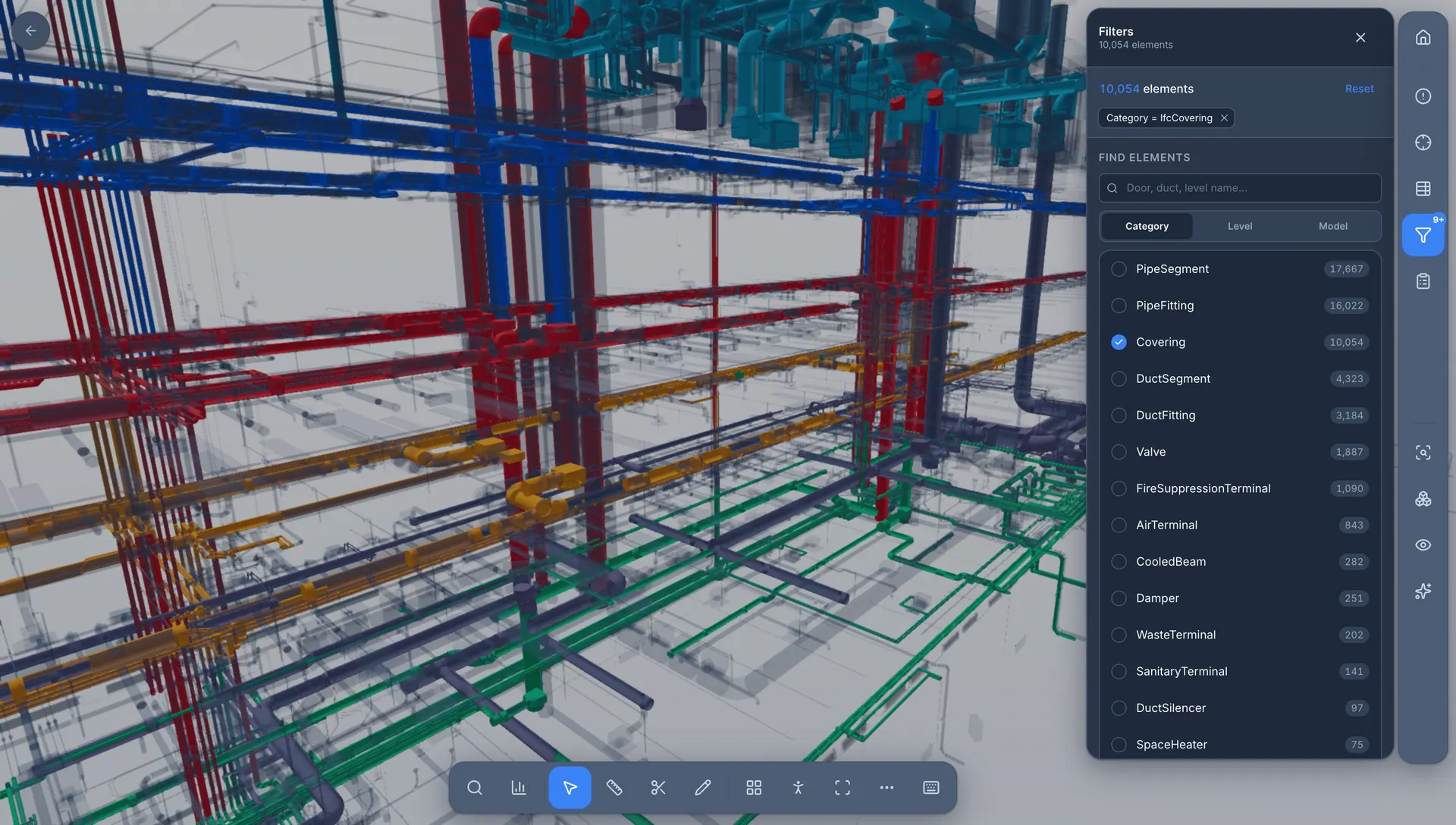
BIM in the browser — next to your drawings
Open IFC models where your team already works. Navigate the facility in 3D, inspect elements, and keep spatial context with drawings, assets, and delivery workflows — without exporting to a separate viewer.
- Navigate IFC models in the browser with element selection and spatial context.
- Keep BIM alongside drawings, assets, and delivery workflows — not in a silo.